Why you should adjust size content to viewport
11 years ago
Sometimes you may have content on your page such as an image that has a width that is larger than the device’s width causing the horizontal scroll bar to show up. It is important to adjust the size content to fit within the width of the viewport so that the user does not need to scroll horizontally to see the entire page. You can do this by using relative width sizes such as:
width:100%
Making images and content responsive is one way to improve the usability of your website.
Filed under: Documentation→Website Performance
Tags: adjust size, mobile, mobile usability, relative sizes, usability, viewport, website performance
Why you should size tap targets appropriately
11 years ago
We have all experienced a website on our mobile device that had tightly packed links or buttons making it difficult to accurately press on a touchscreen. You may click on one link but it sends you to a link that is next to it that you did not want to go to. This is why you should space your links appropriately so that the user does not click on a link he/she wasn’t aiming for. This also makes it so that the user does not need to zoom in to carefully pick the link they want to go to. Make the important tap targets larger than the ones that are not important. Make sure that there is proper spacing for smaller tap targets. Designing a good user interface will improve the usability of your website tremendously.
Filed under: Documentation→Website Performance
Tags: mobile, mobile usability, size tap targets, usability, user interface, website performance
Why you should use legible font sizes
11 years ago
To improve the usability of your website, you should always use a base font size of 16 CSS pixels. Furthermore, use sizes relative to the base size to define the typographic scale. It is common practice to use a line-height of 1.2em to have the proper vertical space between characters. Lastly, restrict the number of fonts used. Having too many fonts and font sizes can give your page layout a messy look.
Filed under: Documentation→Website Performance
Tags: font size, font sizes, mobile usability, usability, website performance
What are content delivery networks (CDNs)?
11 years ago
A CDN is a system of distributed servers that deliver webpages and other content to a user based on geographic locations of the user, the origin of the webpage and a content delivery server.
CDNs can also provide protection from DDoS attacks and security for your website as well as improving website performance and speed.

One CDN service that we recommend using is CloudFlare. You can sign up to CloudFlare athttps://www.cloudflare.com.
You can also try out other CDN services such as MaxCDN, EdgeCast, Amazon CloudFront CDN and more. Check to see which one fits the best for you.
Filed under: Documentation→Website Performance
Tags: cdn, cloudflare, ddos, page speed, protection, security, website performance
Why should I validate the markup of my website?
11 years ago
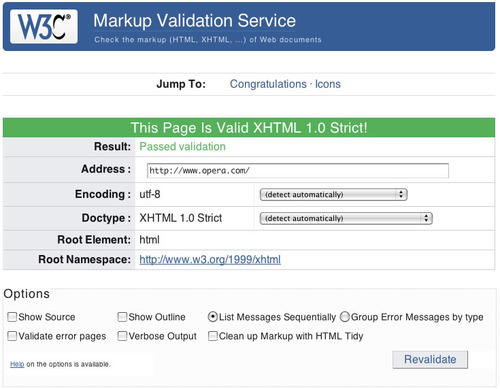
The W3C (World Wide Web Consortium) Markup Validation Service lets you check your web documents for markup validity in HTML, XHTML, SMIL, MathML, etc.
To analyze your web documents, go to http://validator.w3.org/ and input the web address of the web document you want to validate. This service will let you know how many markup errors are on your website and how to fix them. If you can fix all the errors on your webpages, your page will be W3C validated and passed.
Validation helps future-proof your website making sure it will work on browsers for years to come. It also eases maintenance and teaches good practices. It is a sign of professionalism. Validation can be used to check whether the code of your website is clean work from a seasoned HTML author.
Filed under: Documentation→Website Performance
Tags: markup, markup validation service, validate, w3e, website performance, website validation
How do I know if a payment was refunded?
11 years ago
You can check your PayPal or Payza account to see whether we have refunded your purchase. You may also visit the History tab on the left sidebar of the dashboard.
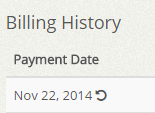
Under the Billing History section, by the date of your purchase you will see a reversal icon similar to this.
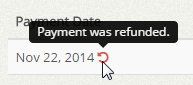
If you place your mouse over the icon you will see “Payment was refunded.”
It may take a few days for the payment to be refunded to you.
Filed under: Documentation→Getting Started
Tags: 10khits, billing, getting started, history, refund, subscription
How do I know if a subscription was cancelled?
11 years ago
You can check your PayPal account to see whether your subscription has been cancelled. There are numerous reasons why your subscription may be cancelled.
Here are a few reasons:
• You forgot to pay for your subscription when it was due.
• You cancelled subscription via our Billing page.
• You decided not to continue with the subscription and cancelled it manually through PayPal system.
You may also visit the History tab on the left sidebar of the dashboard.
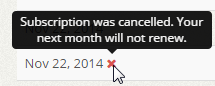
Under the Billing History section, by the date of your purchase you will see an X icon similar to this.
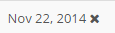
If you place your mouse over the icon you will see “Subscription was cancelled. Your next month will not renew.”
Remember that it is your responsibility to cancel subscriptions or renew subscriptions on your own. We will not refund subscriptions that are already paid more than 30 days ago. You can also submit a support ticket to us to confirm if subscription has been cancelled.
Filed under: Documentation→Getting Started
Tags: 10khits, billing, cancel, cancelled, getting started, history, subscription
How come I can’t resume a campaign that reached its hits limit?
11 years ago
If the hits limit of a campaign has been reached, it will remain paused until you increase the hits limit and resume the campaign again. The hits limit is used to prevent the URL from receiving more hits than you want it to receive. You can change the hits limit anytime you like. Go to the URL campaign settings and increase the number under “Stop traffic after reaching a limit” or you can select “Send as much traffic as possible”.

Filed under: Documentation→Getting Started
Tags: 10khits, campaign, getting started, hits limit, limit, points, resume
Why can’t I sign up to 10KHits?
11 years ago
There could be a number of reasons why you are having difficulties signing up to 10KHits. Please make sure all the fields are filled in properly: e-mail address, display name and password.
If you are seeing an error message at the top of the page that says, “Your e-mail address is already in use.”, this means that you already have a 10KHits account that uses that e-mail address.
If you forgot your password for your account, you can request it at: http://10khits.com/reset-password
Or you can sign up using a different e-mail address.
Another reason you might be restricted from signing up is that your IP address has already been used on 3 other accounts. If this is the case, you’ll see an error message at the top of the page that says, “Your IP address has already been used on 3 other accounts.”
We currently allow only 3 accounts per IP address as a measure to prevent users from abusing/spamming our system. If you believe you have not signed up yet because you are using a shared public connection with multiple users, you can send an e-mail to: [email protected]m for further assistance.
Filed under: Documentation→Getting Started
Tags: 10khits, can't, can't sign up, getting started, issues, sign up, trouble
Are there referral banners for 10KHits?
11 years ago
Yes. We have designed a few banners so you can use to increase your referrals. Go to “Referrals” tab on the left sidebar of the dashboard.

From the Referrals page, scroll down until you see the Referral Banners section.

On the banners page, you can choose from 6 different banner sizes we have designed for you: Skyscraper (120×600), Leaderboard (728×90), Banner (468×60), Medium Rectangle (300×250), Square (250×250) and Button (125×125).
Click on which ones fit best for you and copy the code in the text field.

Copy and paste the code where ever you want it to show up on your website. The code has been set to use your unique referral link.
Filed under: Documentation→Getting Started
Tags: 10khits, ad kit, banners, getting started, kit, referral